Mobile Expense Tracker
Mobile Expense Tracker
Mobile Expense Tracker
Client
Personal Project
Year
2025
Services
Mobile App Design
Role
Product (UI/UX) Designer
Product (UI/UX) Designer
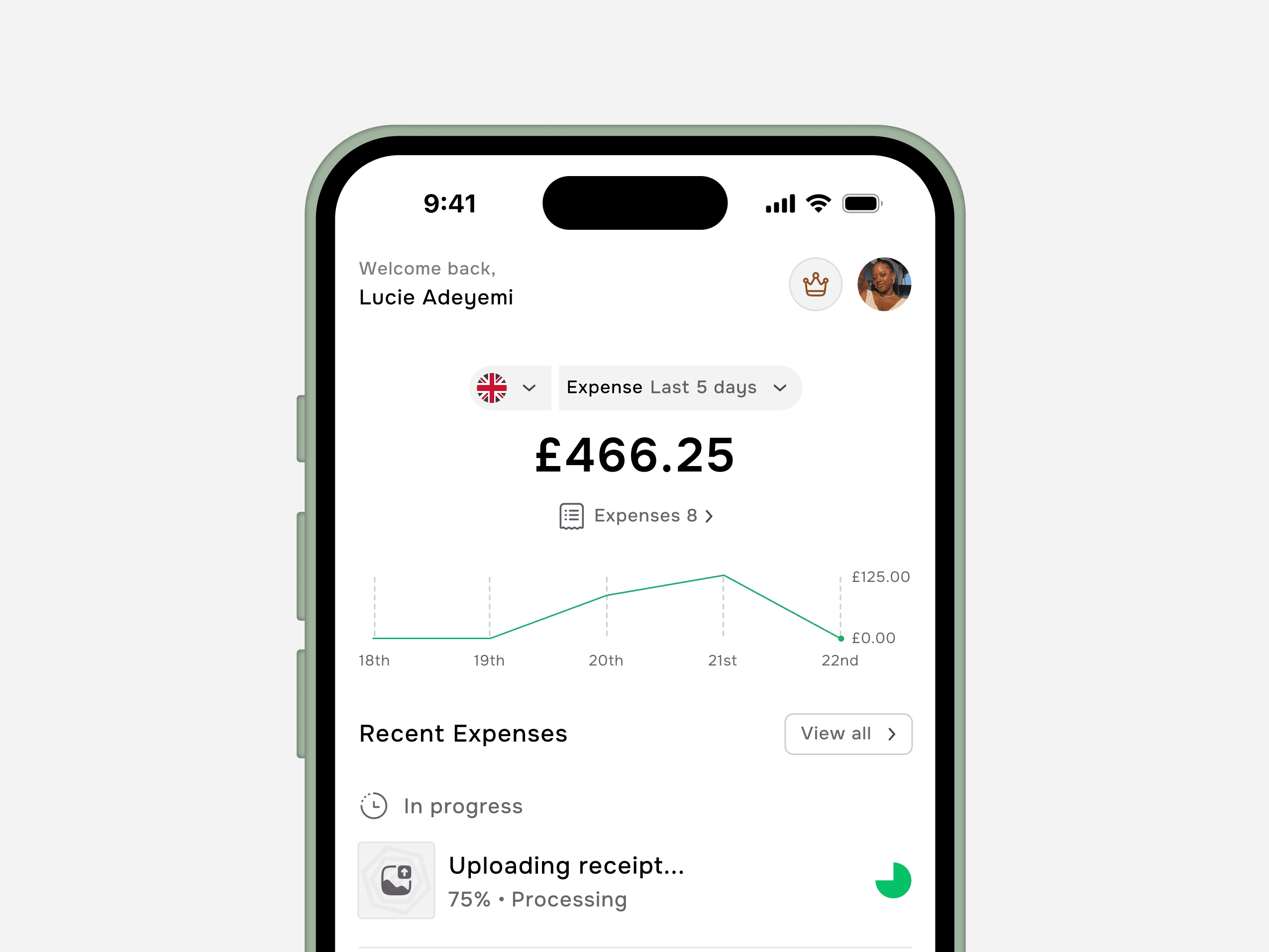
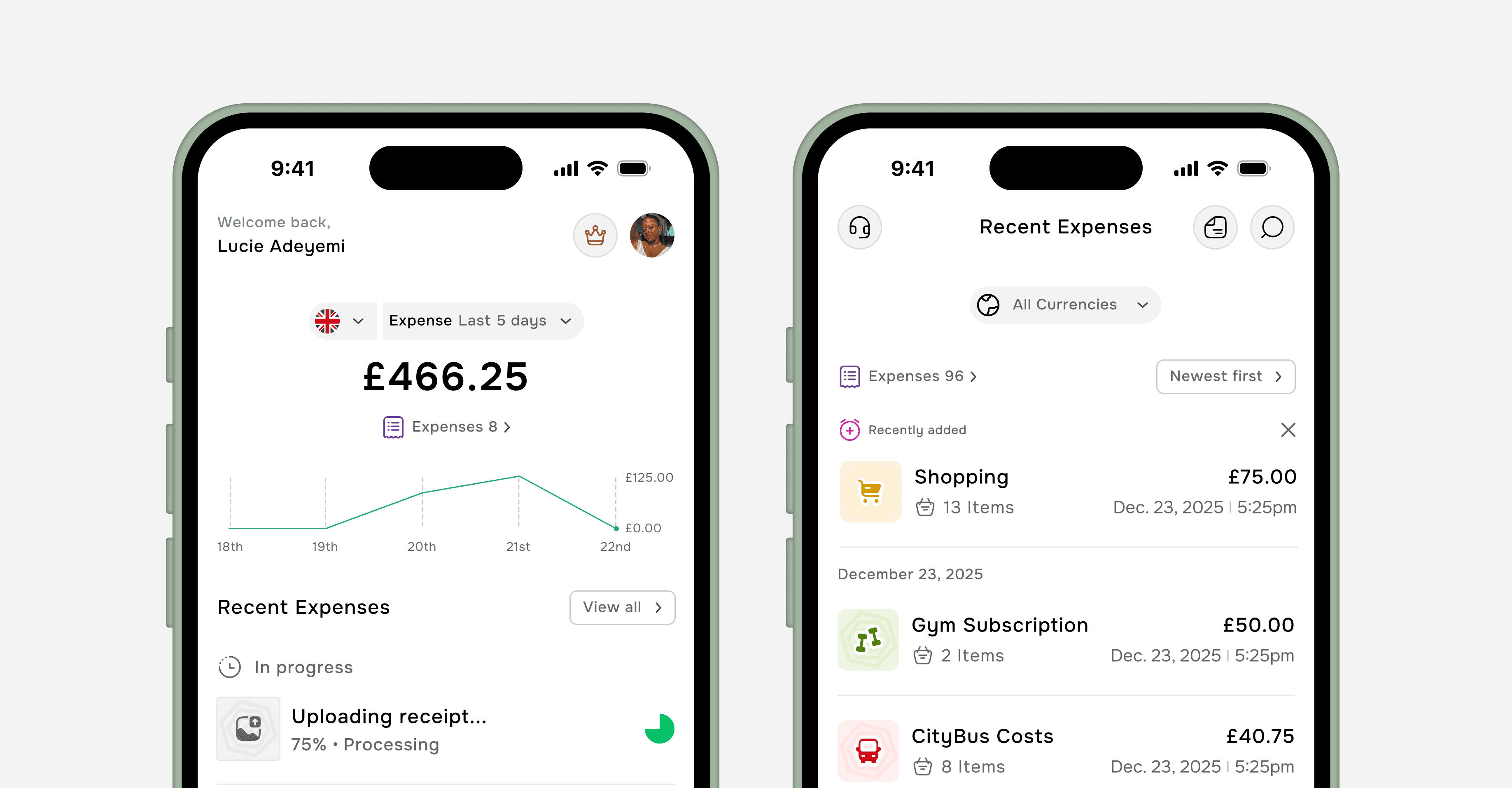
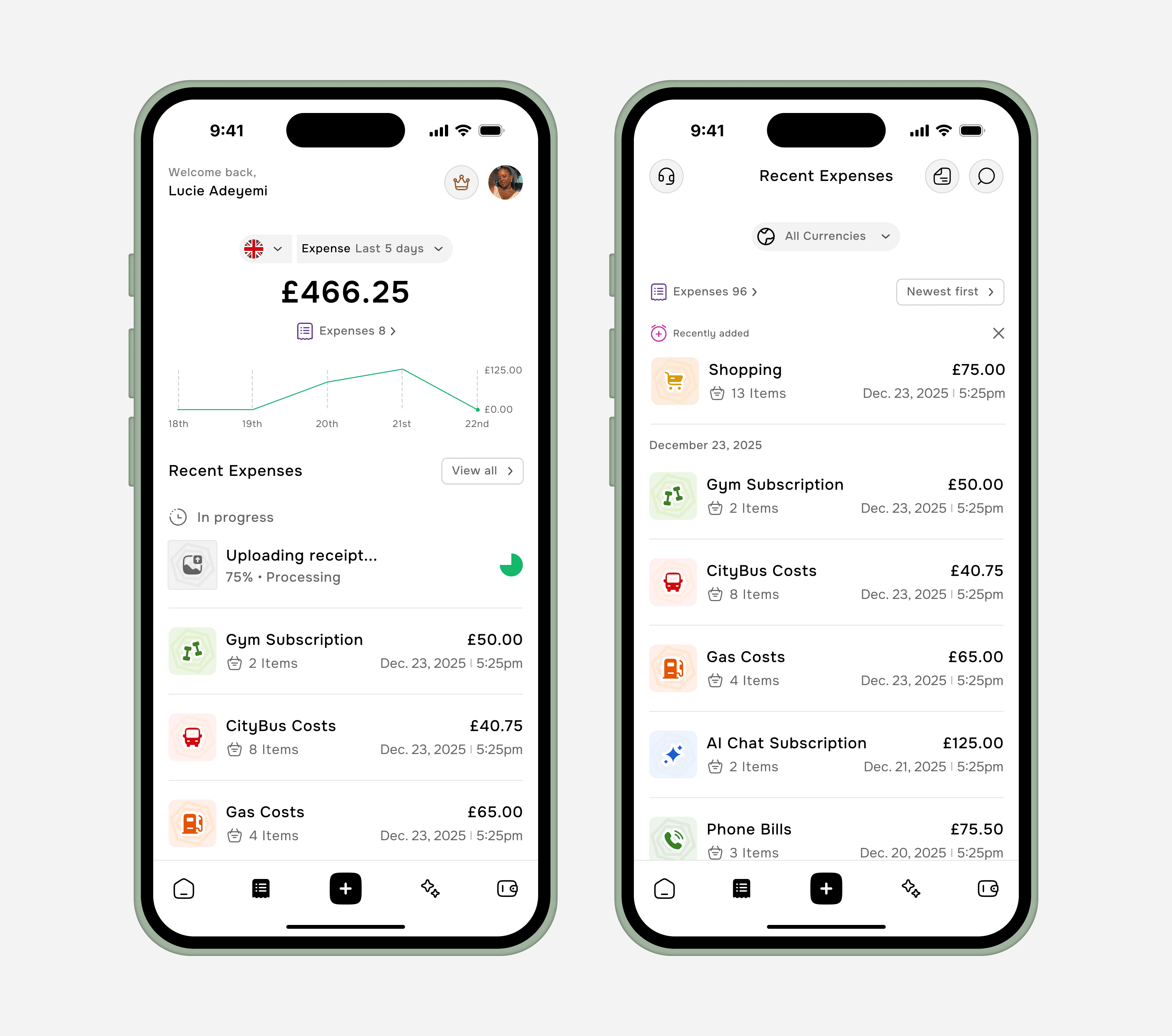
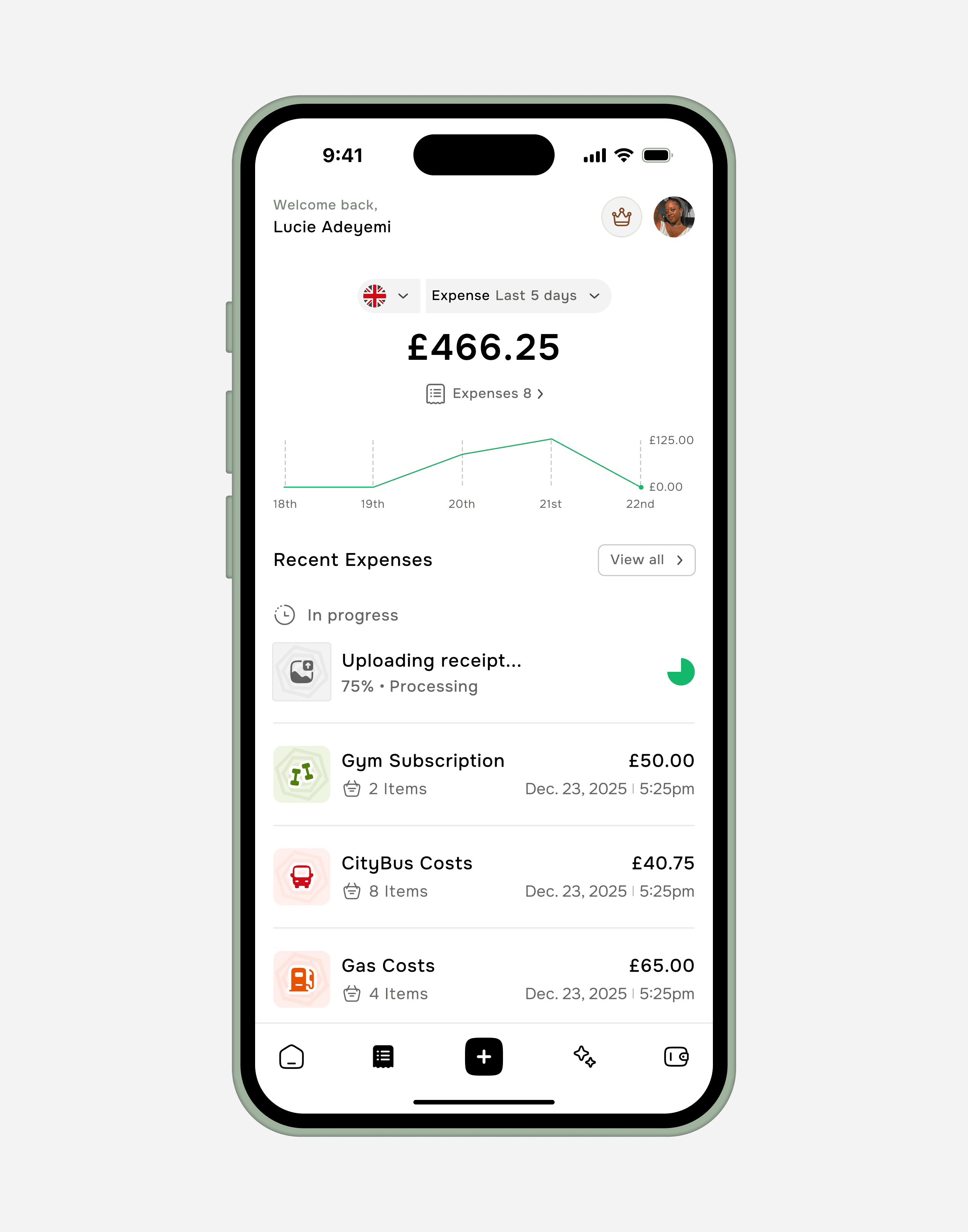
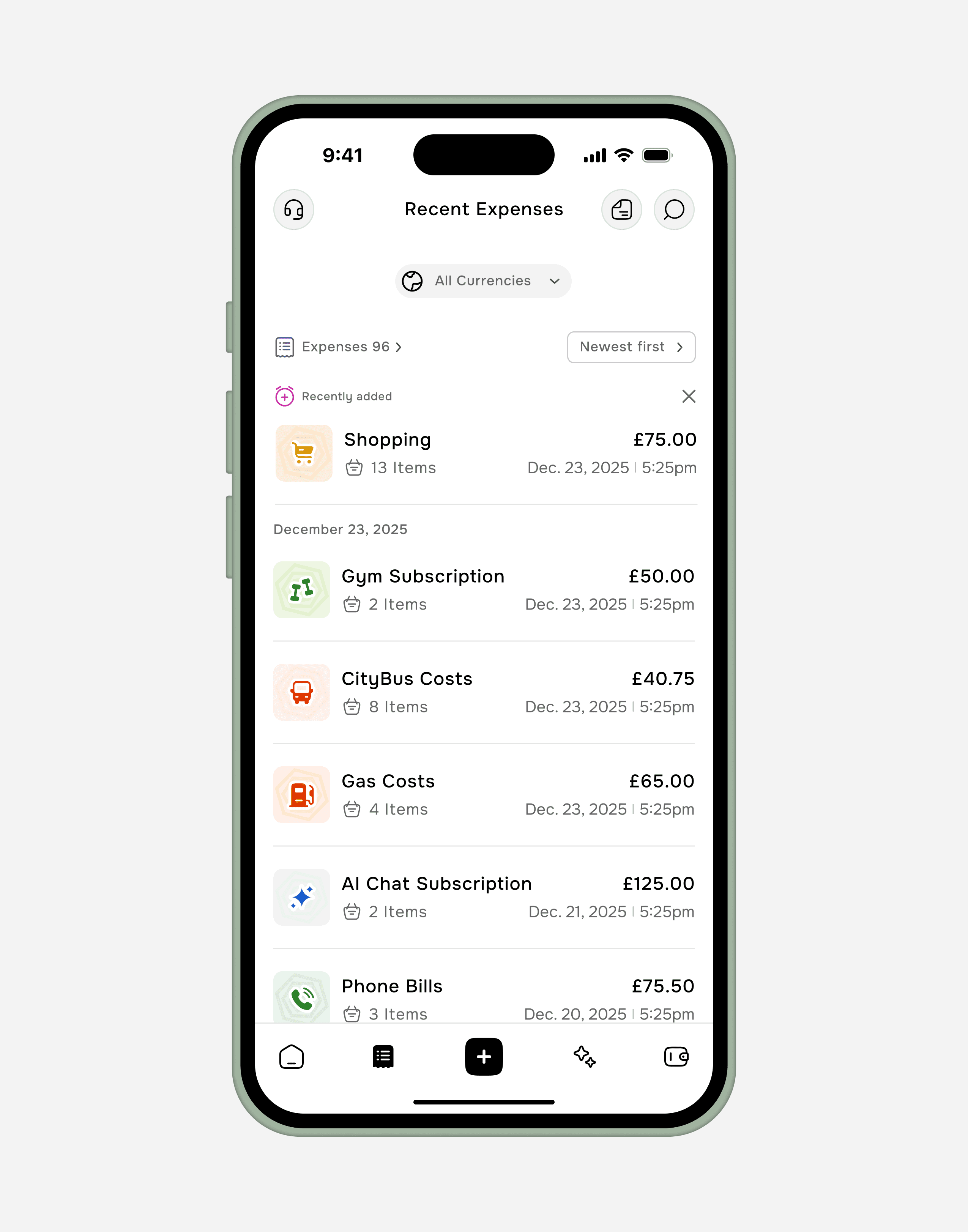
This mobile interface was designed to bring clarity and ease to personal finance management. The dashboard guides users through their spending habits with real-time data visualization, automated receipt processing, and a highly organized transaction history. Clean iconography, a neutral color palette, and intuitive navigation create a frictionless financial experience—ideal for fintech brands looking to simplify complex data into an approachable, user-friendly app.
This mobile interface was designed to bring clarity and ease to personal finance management. The dashboard guides users through their spending habits with real-time data visualization, automated receipt processing, and a highly organized transaction history. Clean iconography, a neutral color palette, and intuitive navigation create a frictionless financial experience—ideal for fintech brands looking to simplify complex data into an approachable, user-friendly app.
This mobile interface was designed to bring clarity and ease to personal finance management. The dashboard guides users through their spending habits with real-time data visualization, automated receipt processing, and a highly organized transaction history. Clean iconography, a neutral color palette, and intuitive navigation create a frictionless financial experience—ideal for fintech brands looking to simplify complex data into an approachable, user-friendly app.
Video Preview
TaskGrab Mobile App
Fintech
Fintech
Fintech
Challenge
Challenge
1. Simplifying data entry – minimizing taps and cognitive load while supporting both manual input and automated bank sync. 2. Creating intuitive categorization – balancing automated suggestions with easy user customization. 3. Designing actionable insights – turning raw data into clear, visual summaries without overwhelming users. 4. Ensuring trust and security – communicating strong data protection, especially when linking financial accounts. 5. Encouraging consistent use – motivating users through positive reinforcement and habit-forming UX. 6. Preventing feature bloat – keeping the interface focused while accommodating advanced needs like budgeting and reporting.
1. Simplifying data entry – minimizing taps and cognitive load while supporting both manual input and automated bank sync. 2. Creating intuitive categorization – balancing automated suggestions with easy user customization. 3. Designing actionable insights – turning raw data into clear, visual summaries without overwhelming users. 4. Ensuring trust and security – communicating strong data protection, especially when linking financial accounts. 5. Encouraging consistent use – motivating users through positive reinforcement and habit-forming UX. 6. Preventing feature bloat – keeping the interface focused while accommodating advanced needs like budgeting and reporting.
Goal
Goal
The primary goal of the Expense Tracker App was to give users effortless control and clear insight into their spending, so they can make informed financial decisions and achieve their money goals.
The primary goal of the Expense Tracker App was to give users effortless control and clear insight into their spending, so they can make informed financial decisions and achieve their money goals.
Result
Result
The app successfully delivers its core goal. The interface provides immediate, clear insight with the 5-day expense chart and total, while making recent transactions highly visible and scannable. The prominent "Uploading receipt..." state demonstrates the automated, low-friction data entry that reduces user effort, creating a seamless and informative tracking experience.
The app successfully delivers its core goal. The interface provides immediate, clear insight with the 5-day expense chart and total, while making recent transactions highly visible and scannable. The prominent "Uploading receipt..." state demonstrates the automated, low-friction data entry that reduces user effort, creating a seamless and informative tracking experience.

Available